Web Components are already a reality and many of us work every day with JS frameworks like React, Vue, or Angular — but what if we want that same flexibility in a plain HTML project?
How it works
A Web Component is the result of three different specifications: Custom Elements, Shadow DOM, and HTML Templates.
Custom Elements
This specification is responsible for creating and managing customizable HTML elements. Through its .define() method we enable a new tag to be used on the page.
We define our new element using a class in JS.
Shadow DOM
Creating a new element means inserting potential conflicts into a page that already has many tags, scripts, and CSS. Shadow DOM removes that conflict by encapsulating everything you need inside a shadow root — like a new HTML document inside the element.
Any element can have a Shadow DOM — you can manipulate that structure without worrying about conflicts with the main document because they are separate trees.
HTML template tag
If you come from Vue.js you're already familiar with these tags. What I didn't know is that they are W3C recommendations!
<template> and <slot> accept content but render nothing when the page loads. They also provide a way to be manipulated via JavaScript to create HTML structures equivalent to the JS code we need (like named slots).
Demo
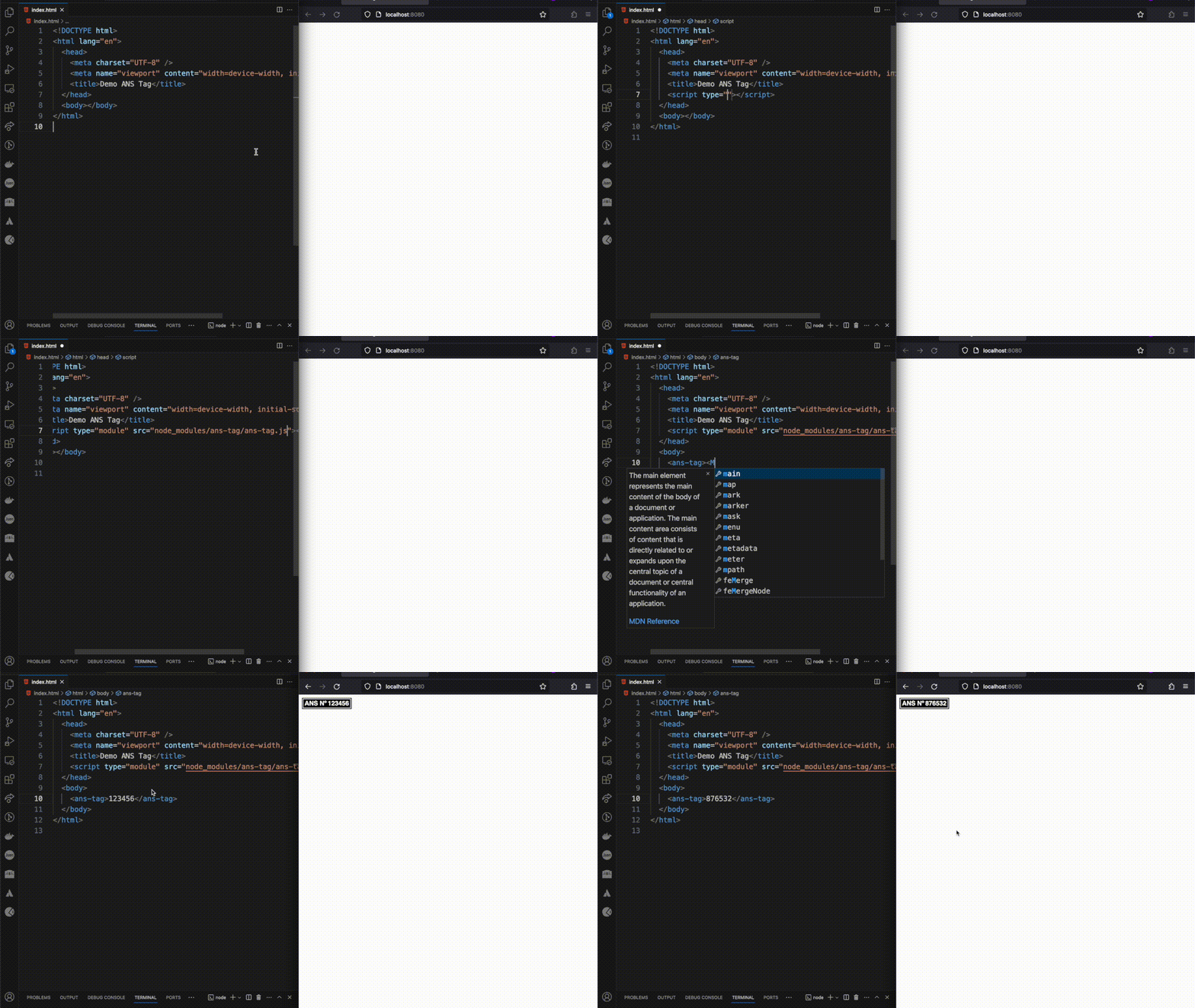
I created a Web Component to display a health plan ANS number. Because it's an HTML tag you can resize it by changing the tag's font-size.
Reference sites
- MDN
Frameworks that help day to day
- Lit
- Polymer
- Stencil